


Hi guys
During the systems design interview at Google you'll be able to use Google Drawings to make diagrams for the systems. It turns out that using Google Drawings efficiently is a skill in itself that should be honed before the interview.
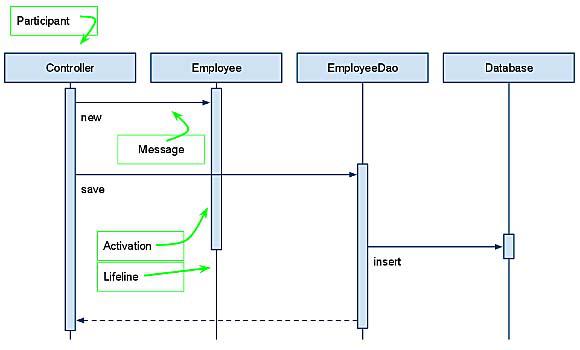
This tutorial: https://www.informit.com/articles/article.aspx?p=1676463 covers creating sequence diagrams in Google Drawings. This in itself is a very useful type of diagrams to be able to do during the interview, but even if you do not plan to use sequence diagrams, it covers a number of Google Drawings basics which I had no idea were supported, and which actually hugely speed up making any kind of diagrams, not just sequence diagrams. These include the operations that the web app has in menus/context menus/under key bindings: grouping sets of elements, moving entire groups of elements at once, cloning entire groups of elements together with their relative positions, aligning sets of elements, evenly spacing sets of elements, formatting lines to turn them into arrows of any needed directions and line style.
Example from the tutorial of what you can create in Google Drawings in just a couple minutes if you know how to:
Also, here's the link to Google Drawings, as I myself had a little trouble initially finding it:
https://drawings.google.com/
Additionally note that you can embed a Google Drawing in a Google Doc document, or alternatively, share the drawing and just paste an URL into the Google Doc.