


Hi guys,
I have attempted system design (HLD) of dropbox, let me know , your thoughts, suggestions or any feedback for improvement.
Functional Requirements :
- allows users to upload a file from any device
- allows users to download a file from any device
- Share a file with other users and also view the files shared with the user.
Non functional Requirements :
- High availability for file uploads / downloads
- low latency for uploads / downloads
- Ability to upload files as large as 50 GB
Core Entities :
File
User
APIs :
POST : /api/v1/upload
- file binary in form header
{
"fileName" : "a.txt",
"fileId" : "123"
}
GET : /api/v1/files/{fileId} --> for fetching the info of a file
GET : /api/v1/download?fileId=''
POST : /api/v1/files/share
{
"fileId" : "",
"userId" : ""
}
GET : /api/v1/users/{userId}/files?type='shared'
High level Design :
Flow :
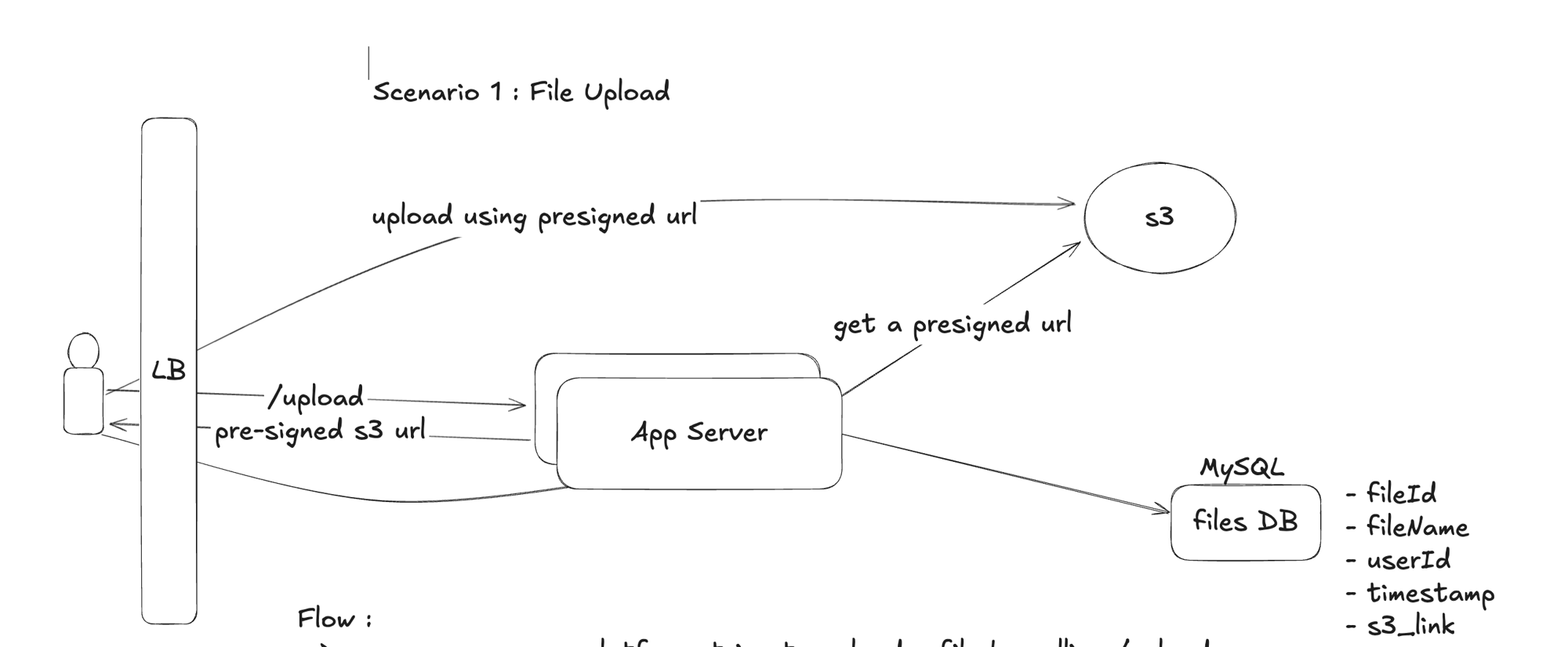
--> user comes on our platform, tries to upload a file by calling /upload
--> uploading the file first on our app server, and then on S3, would spikes in
app server memory
--> App server fetches an pre-signed url from s3 , sends it to the client, client uploads to s3 using the presigned url
--> the presigned url is only valid for a short period of time
--> once the upload is complete , the client calls App server to store the meta-data
in files DB
File download :
Deep Dives :
- Uploading large files :
-- If we are uploading a large file (let's say with size > 1GB) , and if due to some network / connectivity issue ,
the upload get's disrupted , the upload will have to be started again from scratch
-- One way to solve this, is to divide the original file into smaller chunks , and upload them
individually
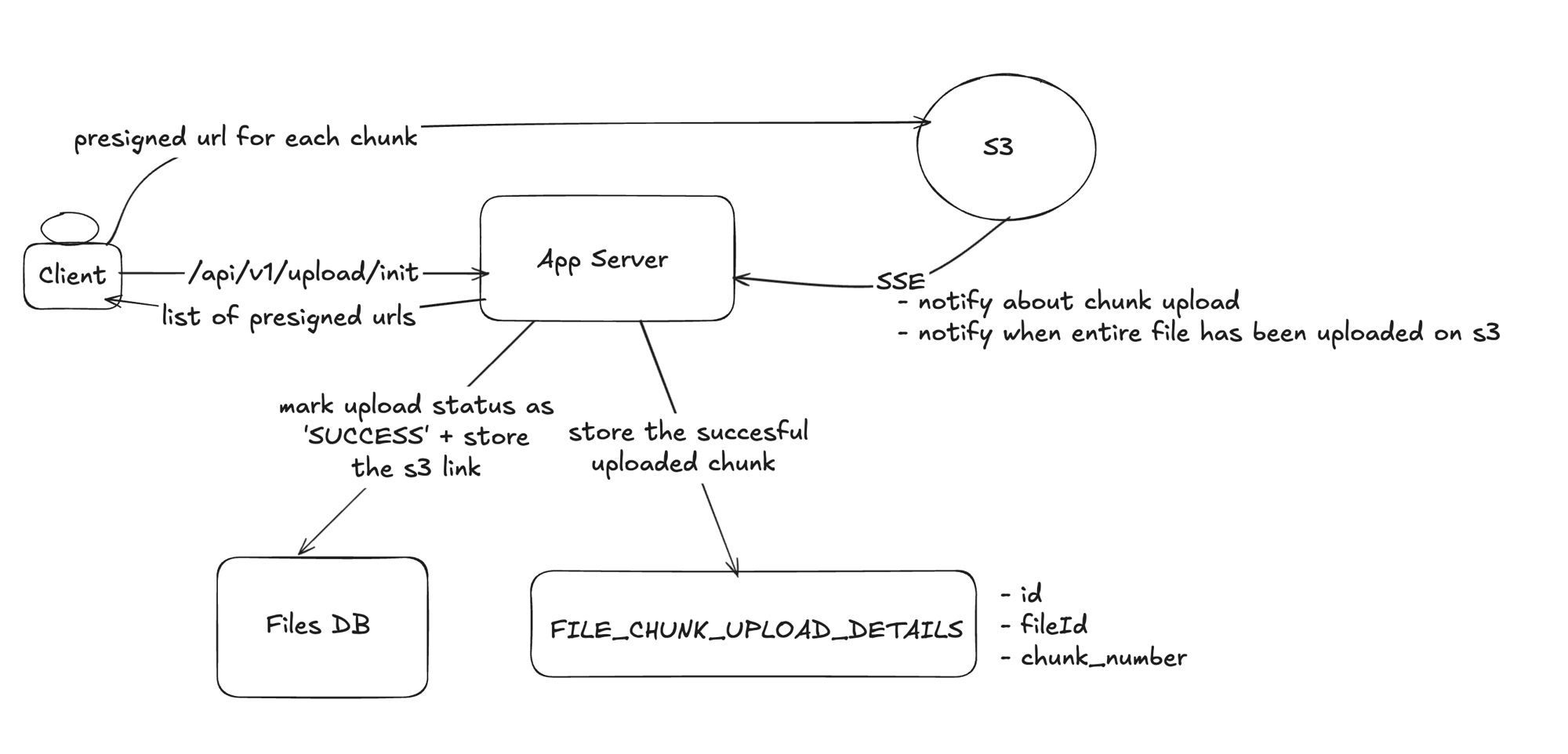
-- Once all the chunks are uploaded, S3 will stitch together all the chunks, store it and notify the app
server about it
-- The app server can then mark the status of the file upload as 'SUCCESS' in files DB
-- As there will be multiple chunks, so we need multiple pre-signed urls , each for uploading a chunk
-- client fetches this list of pre-signed urls by calling /upload/init
-- Calling /upload/init will also insert an entry for the file into files DB with upload status as 'PENDING'
-- Once a file chunk is uploaded into S3 , S3 can notify app server about it and app server can store this
info in some table (FILE_CHUNK_UPLOAD_DETAILS)
-- If due to some network failure , file upload stops , the client can again fetch the chunks which were successfully
uploaded from FILE_CHUNK_UPLOAD_DETAILS thorugh app server and hence will upload only the remaining chunks
-- app server will maintain a presistent connection to S3 to get notifications about any new chunk uploaded or
when a file has been completely stored on S3 (i.e all it's chunks are received , stiched togethere and stored)
-
File Download :
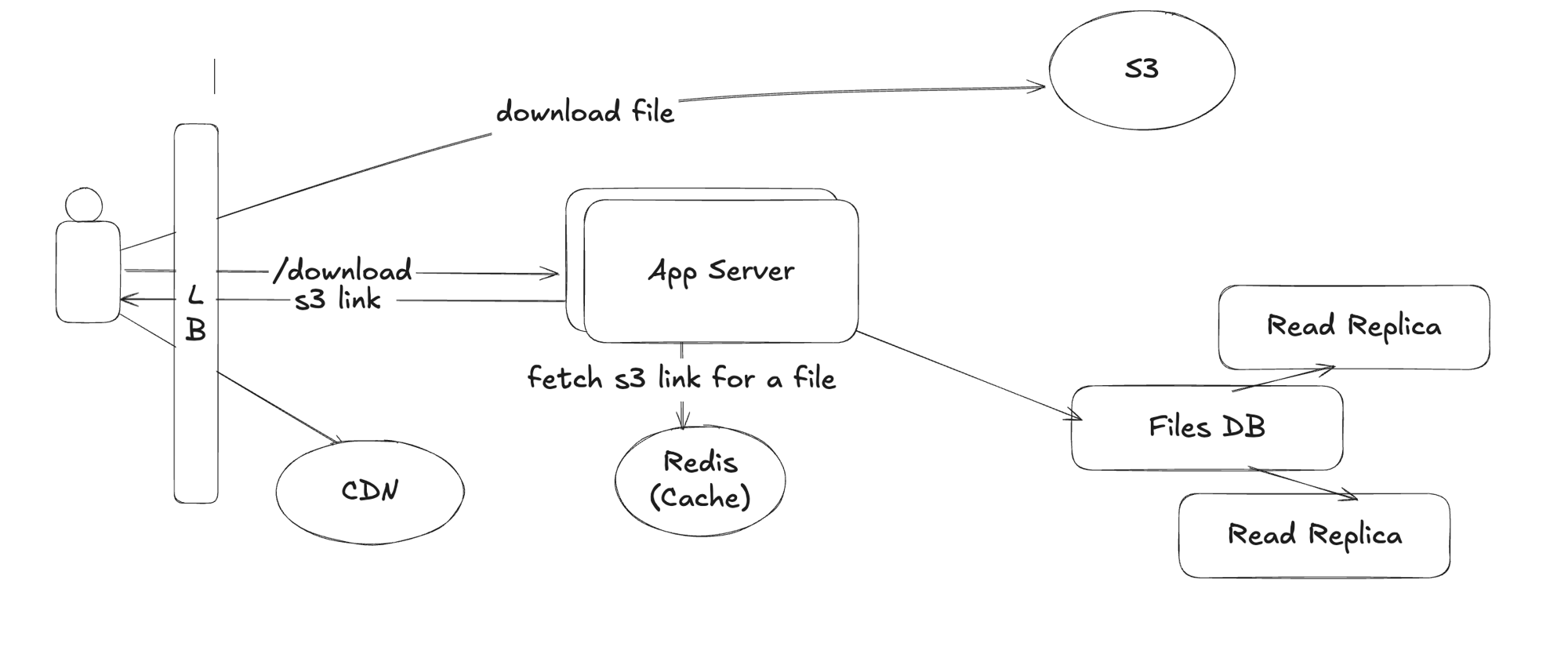
-- Instead of fetching the s3 link for a file from DB, we could fetch it from cache like Redis
-- additionaly, CDNs can be used as well
-- What would be the cache expiration policy and TTL (need to consider the scale of the system) ?
-- LRU eviction policy -
File Sharing :
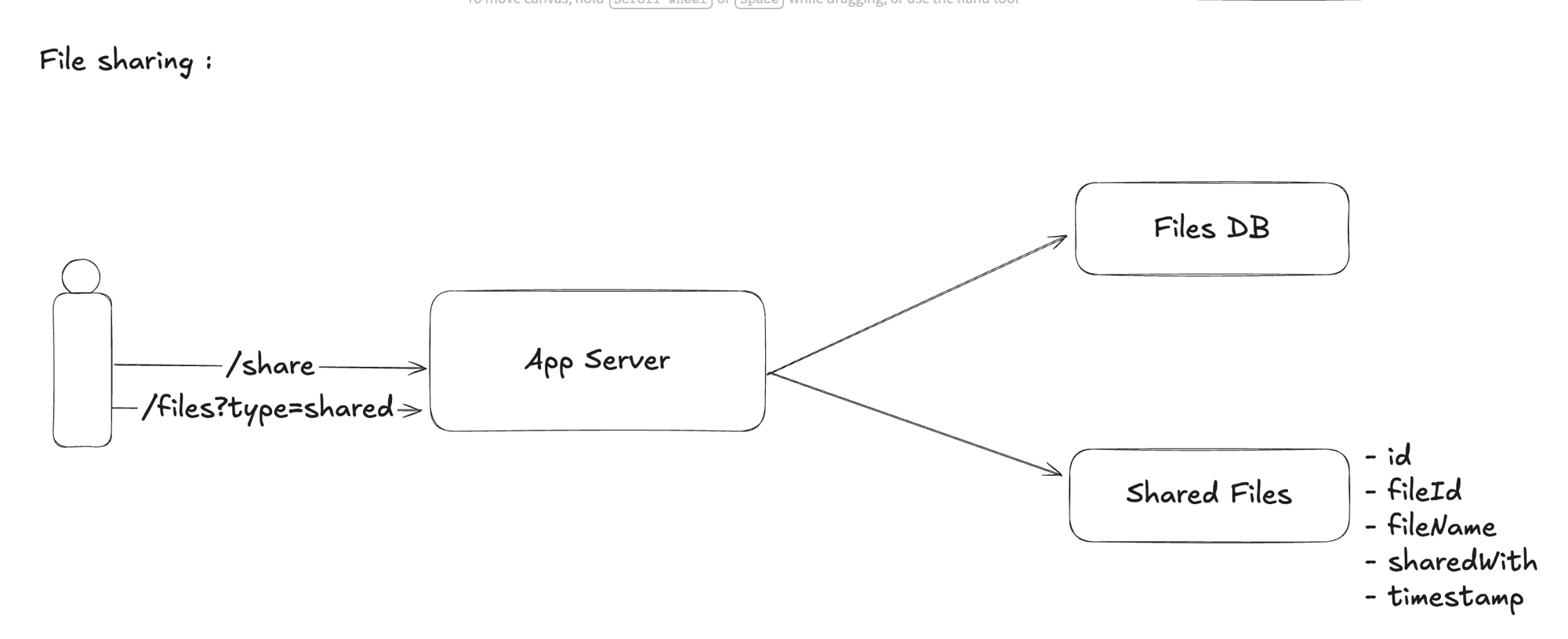
-- while fetching the list of files shared with a user , we are taking JOIN of 2 tables ,
(Files DB and Shared Files) which might be slow
-- Denormalize data in Shared Files by keeping relevant feilds (like fileName) like the ones
which needs to be shown upfront on UI to the user
-- if a user is interested in viewing the full info of a file, user will call an api for fetching the
complete info of file from files DB
-- Files info Table can be indexed on fileId to support fatser access by file id
-- Additionally, to support high read throughput , we could have separate DBs for read and writes
for files DB