Hello LeetCoders, thank you for loving and supporting the new version of the problem detail page. LeetCode team strives to provide the best user experience and your feedback matters. We have received tons of valuable feedback from all of you and have a number of improvements in work.
Check out the latest updates we made:
-
"Focused Testcase" -Getting a wrong answer on a testcase can be frustrating. We've made it easier to get an accepted answer by focusin on the first failed testcase in tab mode or in the raw editor.
-
"Seamless Testcase Mode" - Want to easily switch between testcase tabs and the raw editor? Now whenever you switch between testcase modes your cursor will be on the same testcase you were wokring on.
Be sure to sign up for LeetCode Premium to access autocomplete.
Click on any problem on problem detail page and give the new version a try!
Stay tuned, because there are more improvements on the way.
📌 As always, let us know how we're doing! Do you like the update? Why or why not? Before you leave your valuable feedback, check out the comments that other LeetCoders left and help us upvote/downvote feedback so we know what feedback to prioritize 😉
Release Highlights
March, Week 2
- "Autocomplete" - Want to use autocomplete for C#? You can now do so as LeetCode now supports autocomplete for every language (some languages also offer intelligent autocomplete).
Popular features in the new version of question detail page
🆕 New Features
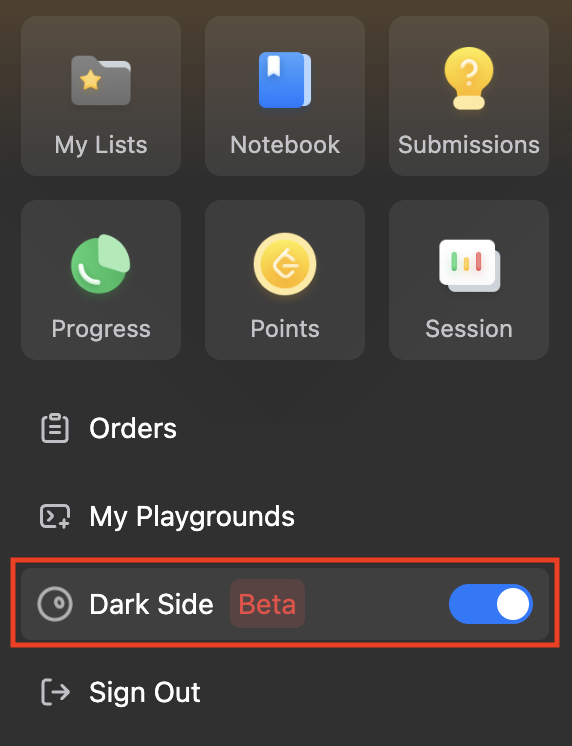
- Dark mode
- We now support dark mode on the problem detail page! Go to the user panel and to enable/disable darkmode.
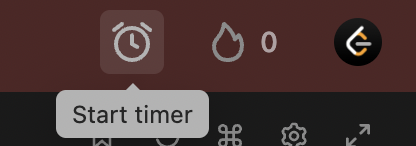
- Timer
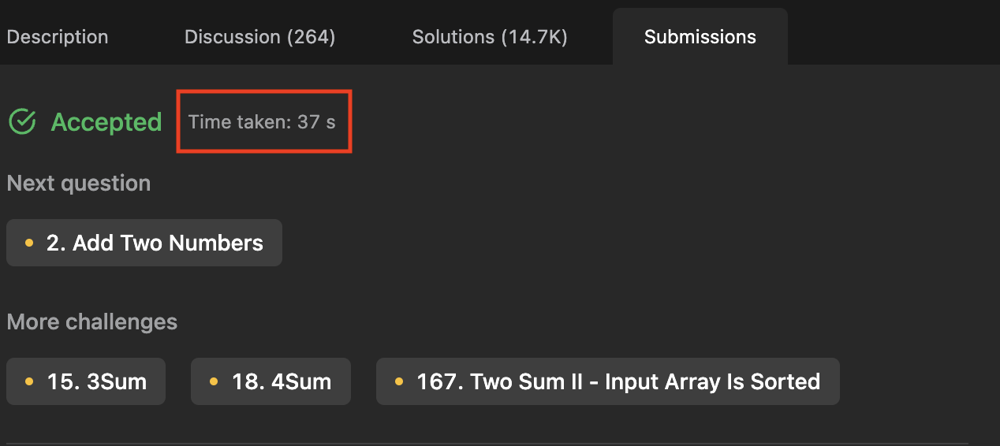
- Start a timer when you solve the problem. You can hide it while you solve the problem. When you submit the problem, the timer will stop and you'll see how much time it takes for you to solve the problem.
💻 Changes to the code editor
- Resizable console
- Need more space for your console? Not a problem. Drag to resize the console based on your preference. You can even move the console to the left in order to maximize your code editor space.
- Better vim mode in the editor
🎛️ Changes to the code editor
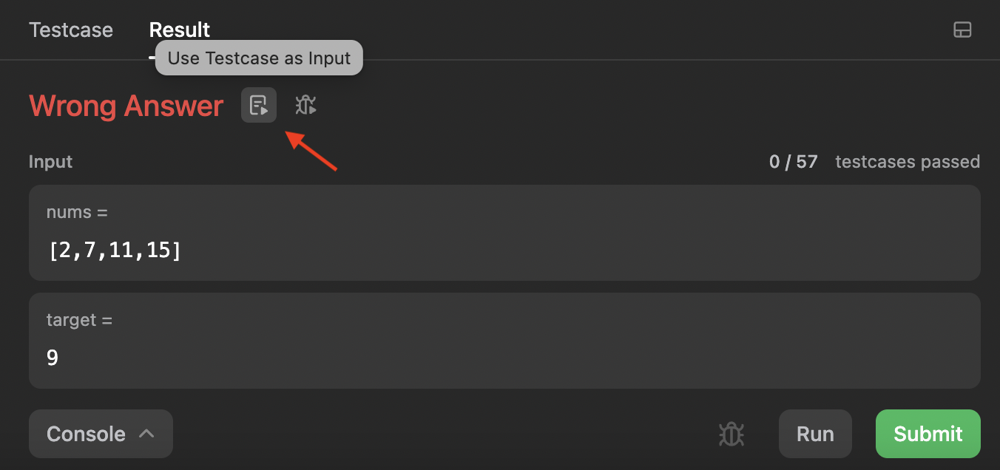
- 1 click copy testcase
- We made debugging easier for you. When you received Wrong Answer, use one click to use the failed testcase as input.
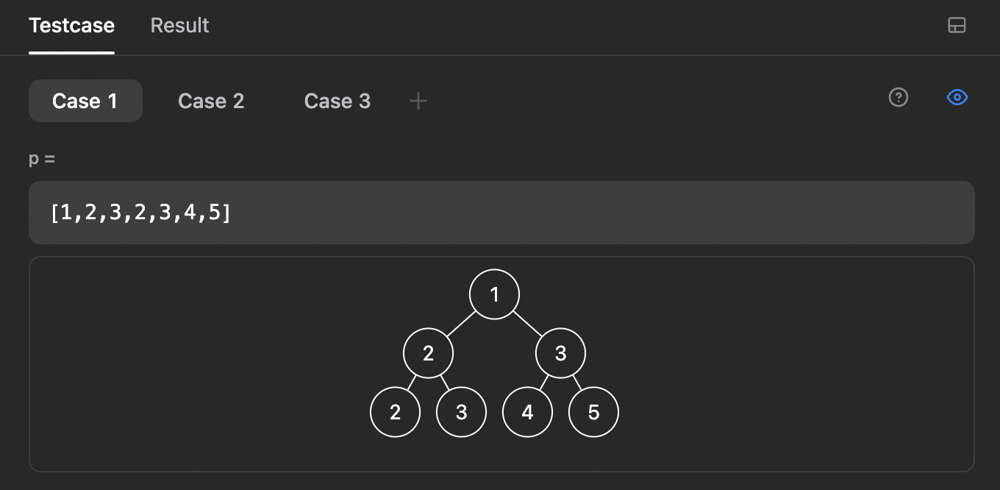
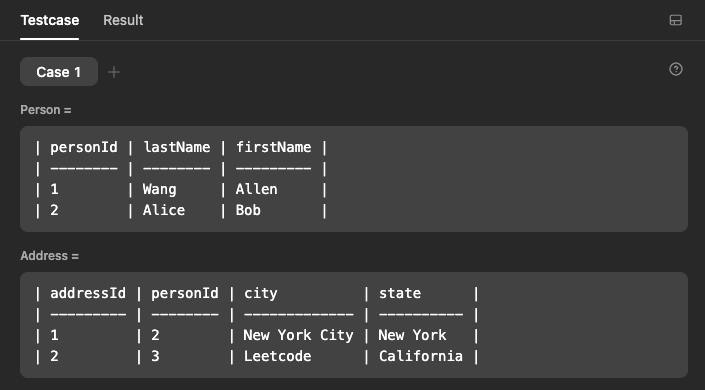
- Improved visualisation to tree testcase.
- We now support visualisation to database testcase. Check out this support article to see more details.
📒 Changes to the solutions tab
- Use the new markdown guide to help you write solution with better layout.
- The languages tags and topics tags are now standardized to make sure the solutions are tagged properly and can be filtered easily.
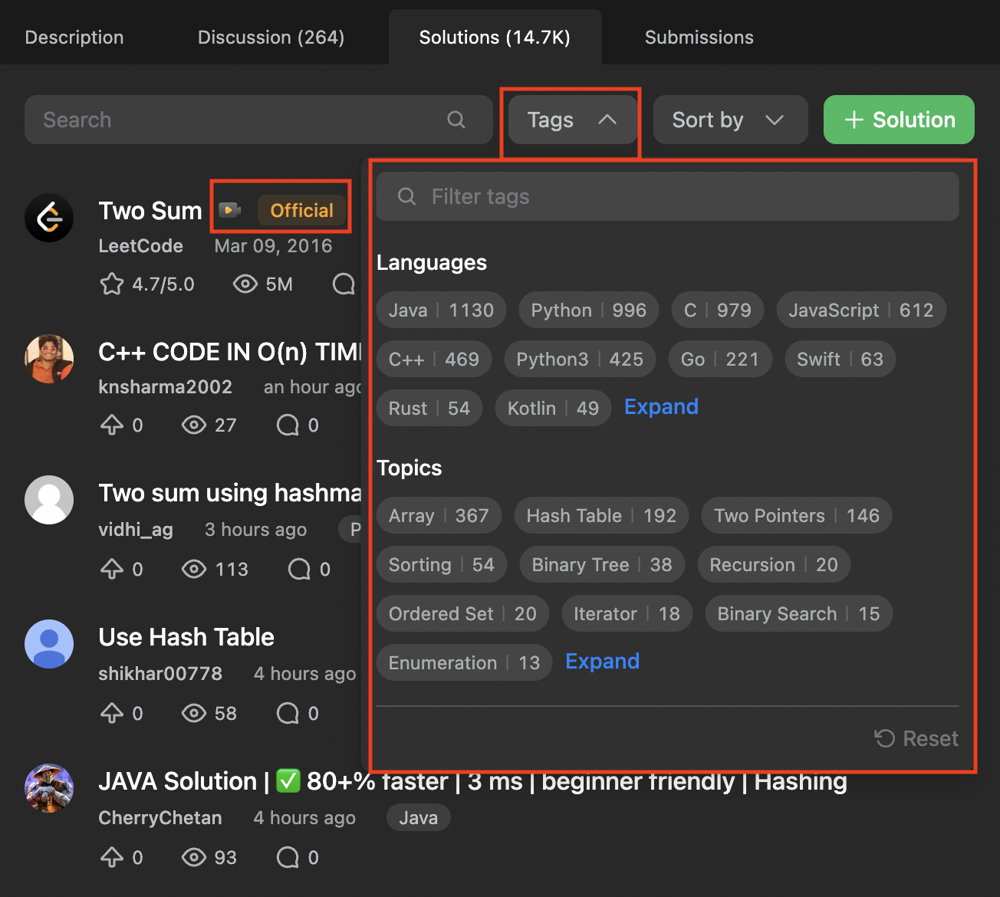
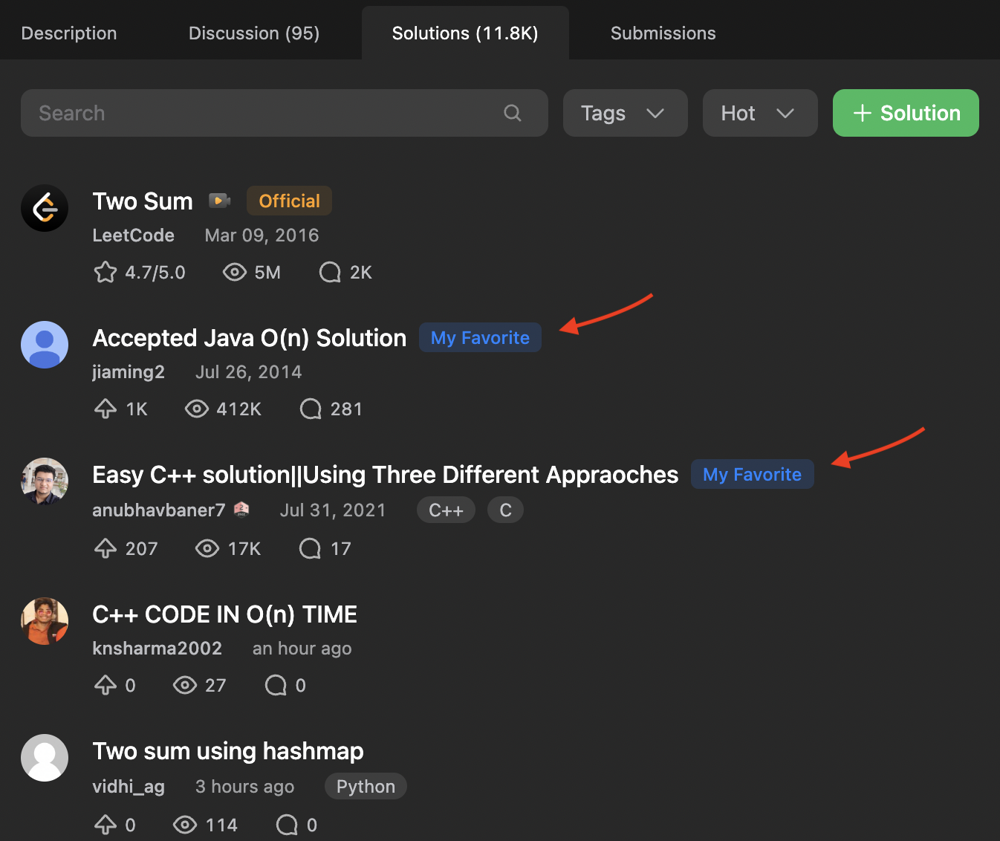
- You can now save your favorite solution and be able to locate it on the top of the solution list.

📝 New submission detail
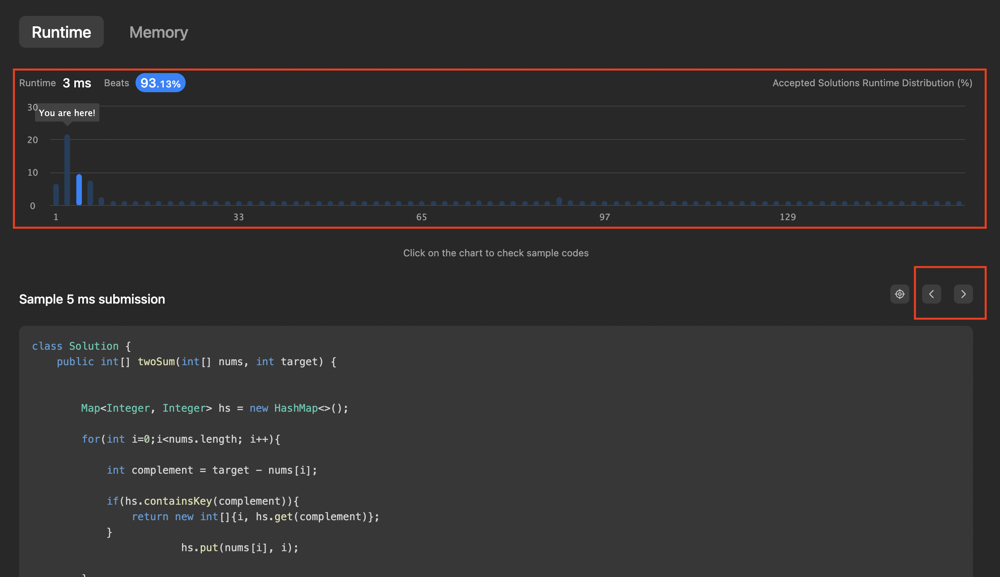
- New layout to browse runtime/memory distribution easily. Click on the chart to view sample submissions. Use < > buttons to view more submissions that use the same runtime/memory.
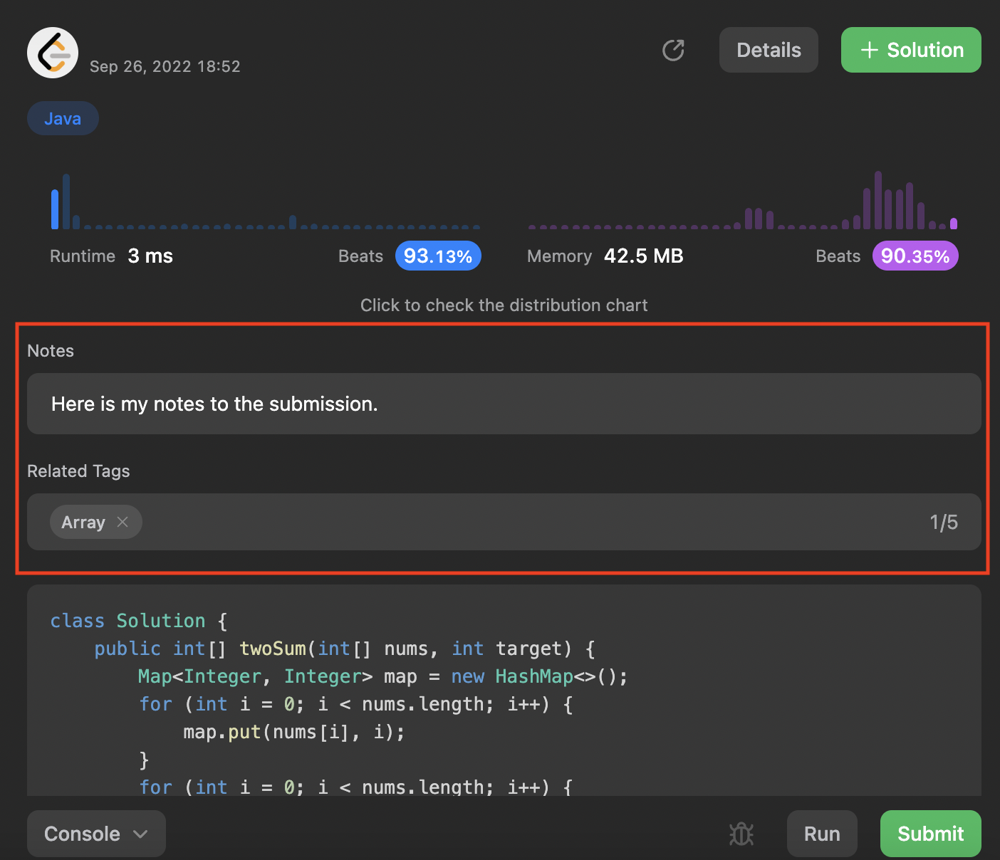
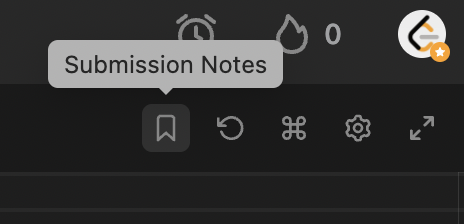
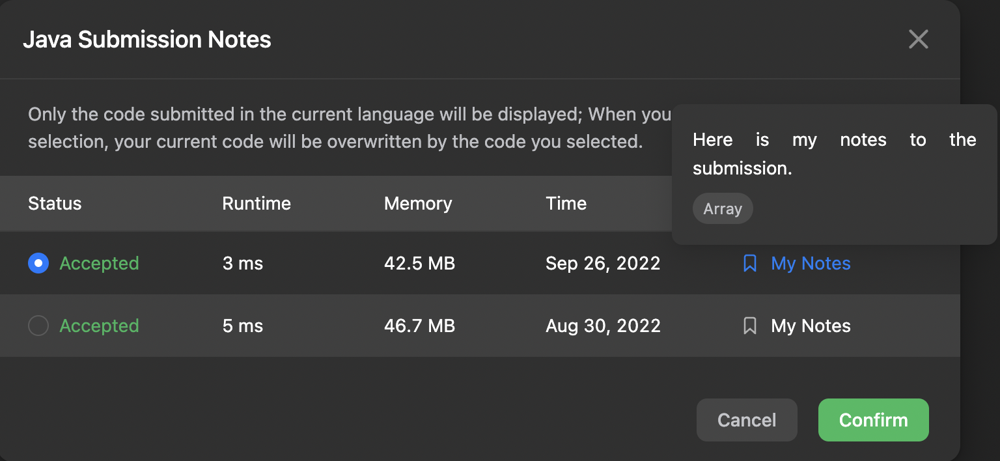
- Ability to add notes or tags to your submissions. You can also click on the submission notes on the code editor to check the notes you made to the past submissions and retrieve the submissions.