Hiii Everyone,
we all need leetcode shortcuts to enjoy coding, to increase efficiency and most importantly for saving time.
https://chrome.google.com/webstore/detail/leetcode-shortcuts/gnfgpckgnjfpifajcmmkegajbnmpdagb
In coding Competition we have less time, and we don't want to waste it playing with mouse.
Hence this is an extension which allows to use keyboard shortcuts for LeetCode Website (leetcode.com) and thus completely minimising mouse work while Coding.
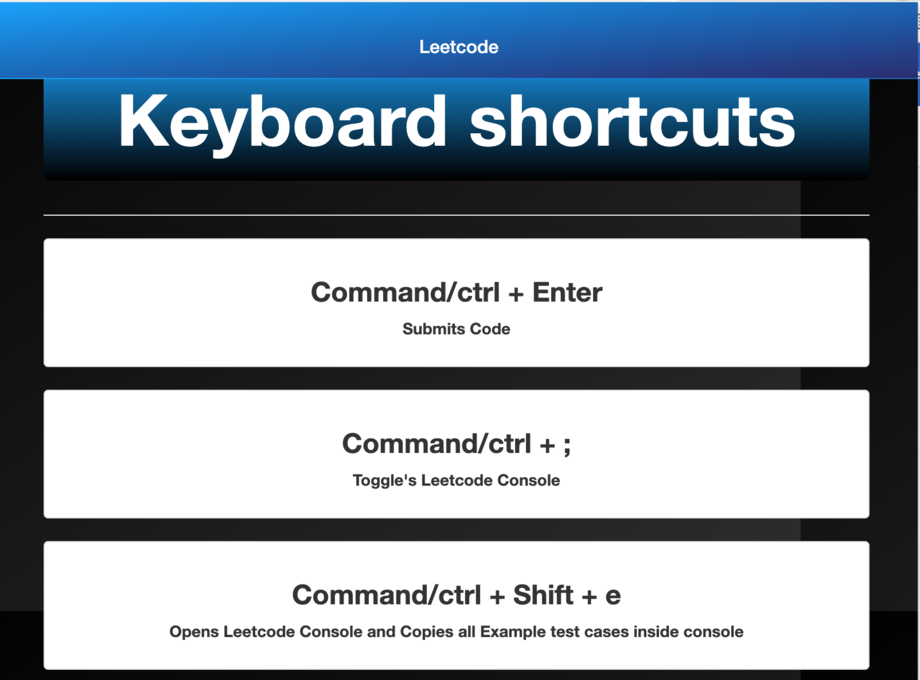
This includes the following shortcuts:
Code Submit
Toggle LeetCode Console
Open LeetCode's Console and Copy all Example test cases inside console
Switching between LeetCode's console elements when LeetCode console is open i.e. between "TestCase", "Run Code Result", "Debugger"
This Shortcuts works perfectly on LeetCode Website(https://leetcode.com/*) every Problem solving page i.e. for practice problems, Contests, all elements of Explore Section of LeetCode, Assessment, etc.
After adding this extension tap on it to learn the shortcuts keys,
https://chrome.google.com/webstore/detail/leetcode-shortcuts/gnfgpckgnjfpifajcmmkegajbnmpdagb