


Leetcode Complete Beginners Guide I
I'm making this post because it's been more than a month now that I've started coding at Leetcode and I realized there aren’t any proper beginner guides or posts here in the
discussions section .So , I hope this post will help all beginners realize the functionality and pro tips at Leetcode.
Firstly ,if you landed here before creating a leetcode account via google searches , then head on to your search engine ,then visit the leetcode page and sign up . Once you are done with the sign up procedure you will probably see a screen similar to this one here :
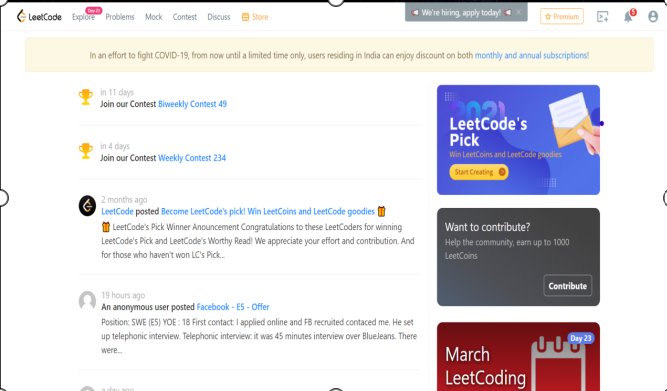
If you have already signed up, then lets first move to your profile:
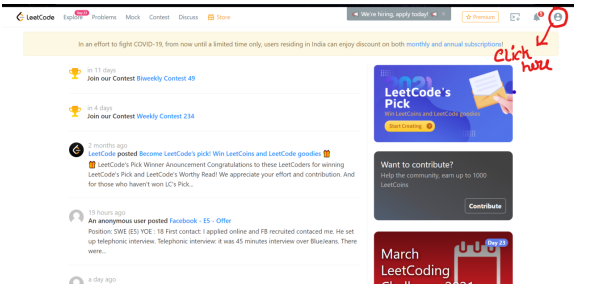
On doing that you will find a similar drop down menu
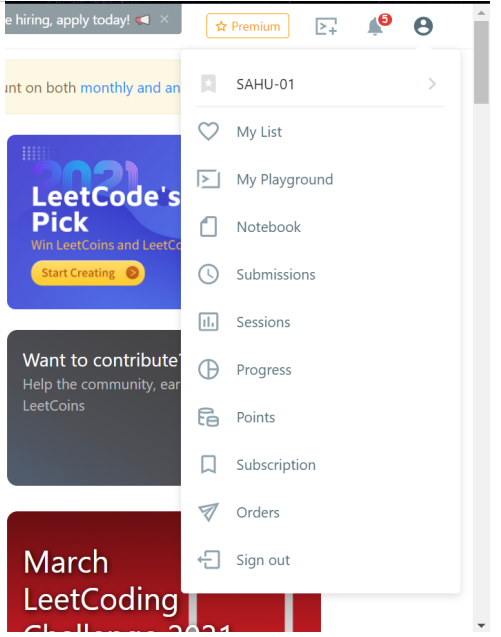
Up next , click on your user name:

And you will end up at a similar page :
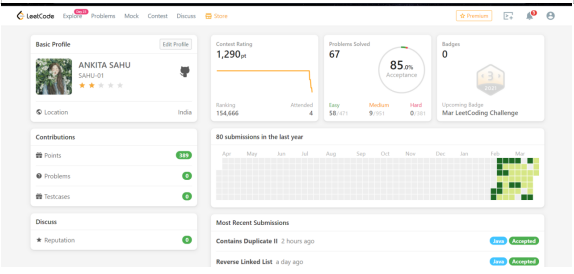
At first you won’t find any stars or picture, nor contest rating or badges and the graph that you are seeing wouldn’t have any green spots . Basically this is your status page, it reflects all your activity at leetcode.
In details about each feature of this page:
If you are new you need to edit the profile for two reasons one, if someone sees it they know who you are and second you get points for it as well.
Clicking on the edit profile section you will find a similar page: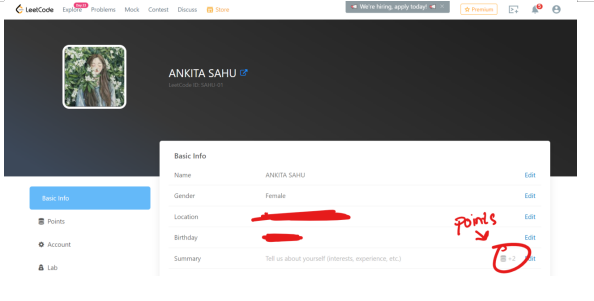
You can now fill up all the sections.
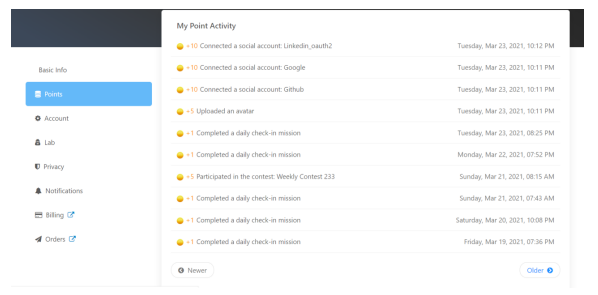
Well to see your point activity click on points and you need to click on points and once you start solving problems , participating at contests and filling up stuff your points will keep on increasing.
Now coming to the submission bar , If you are active on LinkedIn try recalling when people share their graphs , it varies from person to person and the darkness or different shades which you see here, there is probably no such slab or bar of how many questions you solve, as I’ve said earlier its your status graph .
The shades of green vary like, If you solved 12 questions in say 1 week’s time , and on
Day 1: 2
Day 2: 1
Day 3: 0
Day 4: 5
Day 5: 1
Day 6: 1
Day 7: 2
Questions respectively then your graph will be darkest on day 4, a bit lighter green on day 1 and 7 , the lightest shade of green on day 2,5 and 6 and gray on day 3 because you did not solve any question that day.
If say after some days you solve 12 questions in a single day then your shades will again change based upon the no of solved questions then.
Coming to the most recent submissions:
Well you fill find the last 20 questions you have solved or the submission status of the last 20 submissions you have made here.
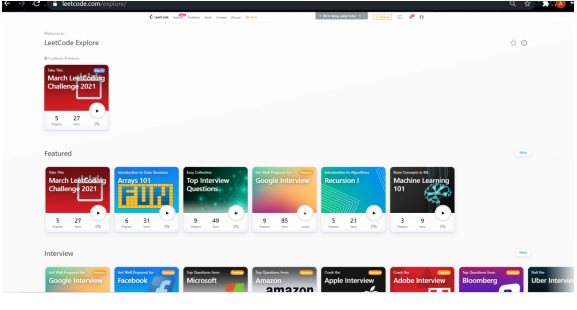
The badges section comes up when you take up the monthly challenge by clicking on explore section on the top left corner of the web-page.
The explore section looks somewhat like this:
Now the contest Part
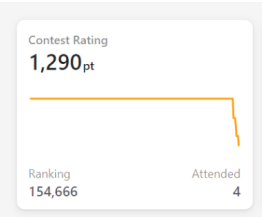
One you start attending the Weekly and Bi-weekly contests and then start making submissions it gets reflected here, Do not panic if you attended a contest and it doesn’t show up here, it takes about 3 to 4 days to reflect here and after you have attended a number of competitions you will notice that on taking the cursor near the graph you can find something similar to this:
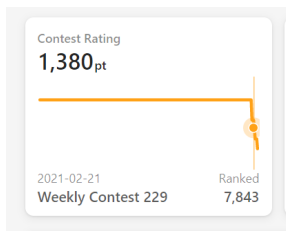
It shows your then attended contest , its ranking and the then contest rating you had.
Coming to the weekly and biweekly contests:
Click on the leetcode logo and you will be taken back to this page:
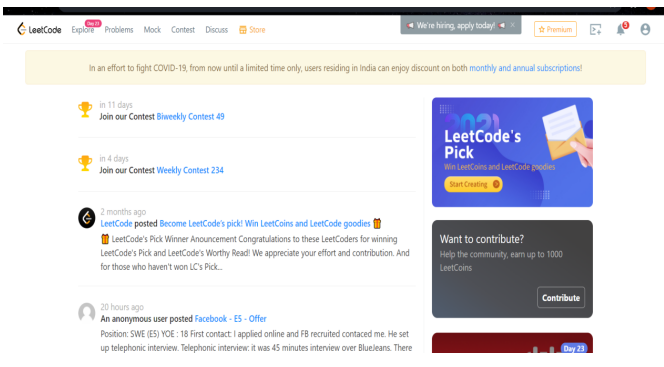
This is the place where you can register for the contests and appear them
Let me show you how to register:
First click here
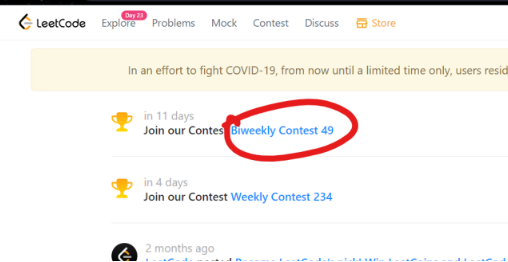
I clicked on the weekly contest so on doing that you’ll find this page coming up next:
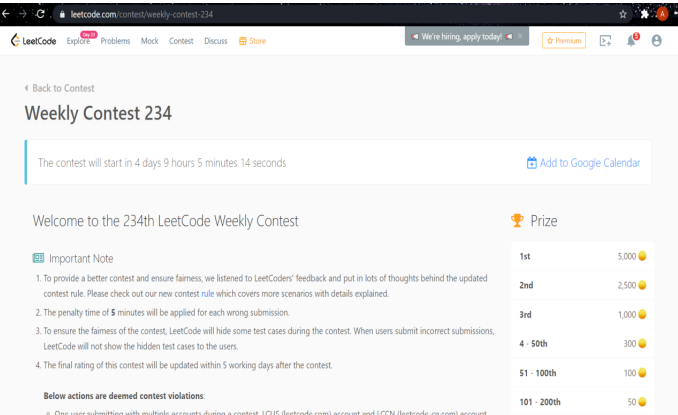
Here you can go through the contest details and then scroll down and click on the register button to register for this contest

By clicking on register you will get a similar looking pop up:
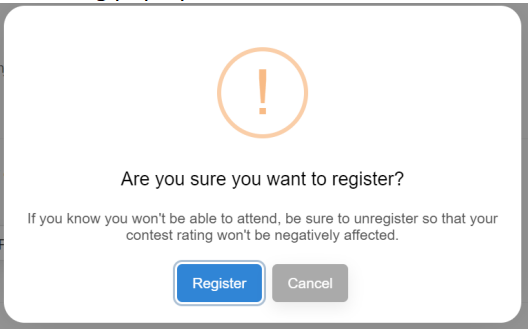
And by further clicking on register you will see a similar page
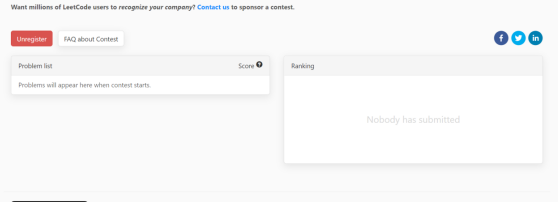
If at any point you feel you cannot take part then simply click on un-register .
If you have registered then patiently wait for the contest day and try solving practice problems in the problems section , the weekly contest is held on every Sunday from 8:00 am to 9:30 am IST . And as for the Bi weekly contest ,its held every 14 days on a Saturday from again 8:00 pm t0 9:30 pm IST.
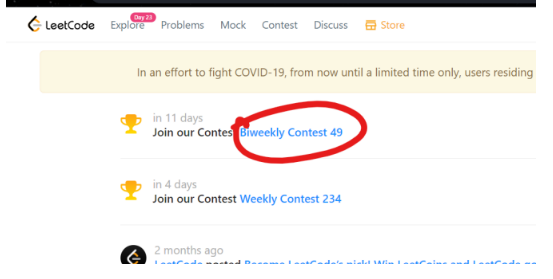
When its time for your contest just visit the leetcode website and click on the link you had clicked while registering i.e . this one:
Then scroll down the page and you can see your problem statements here :
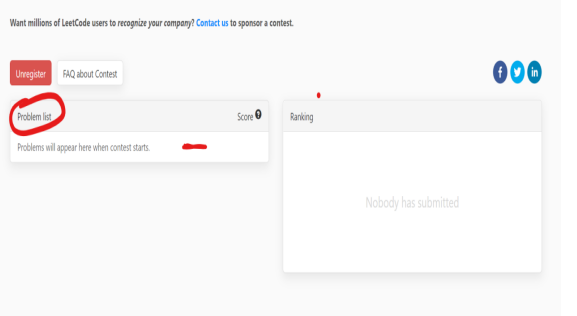
The list will look like:
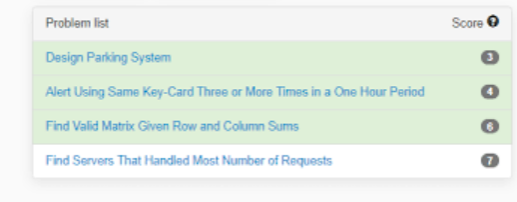
All you need to do is click on the question and you will be headed to the problem statement page where you can further solve the questions.
I’ll make a separate post for how the entire system of submission and contest problems .
Now coming to the practice problems :
Now clicking on the problems option on the top left corner of the web page you will find a similar appearing screen
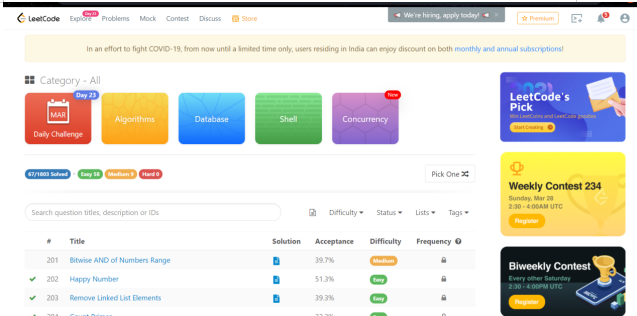
While scrolling down you will also find something like this on the right hand side:
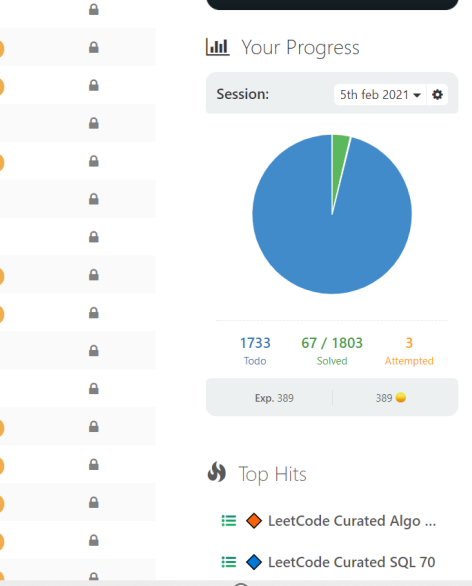
This shows the no of practice problems you have solved
Remember in the profile page you had something like this:
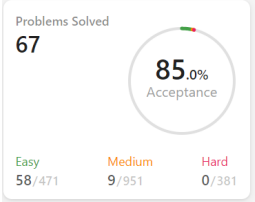
Its the same problem status here in second case the acceptance rate shows how many submissions of yours were accepted or marked correct.
Here as beginners I’d advice you to first look for the easy labeled questions and click on their title .By doing that you will be headed over to this page:
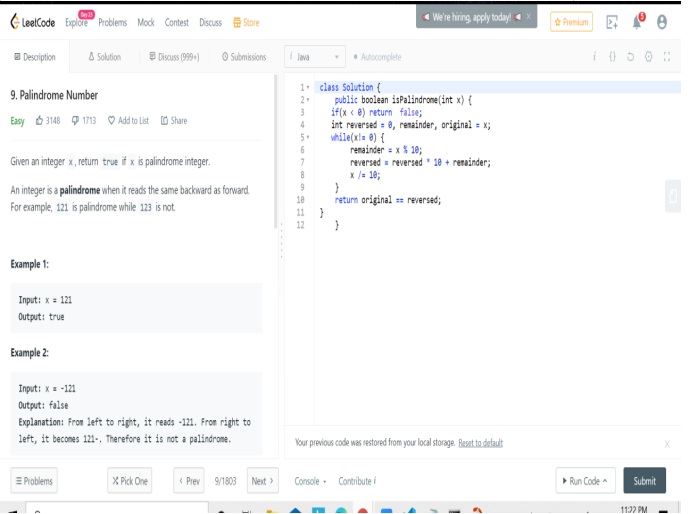
In this page you can go through your problem statement and examples and then start solving
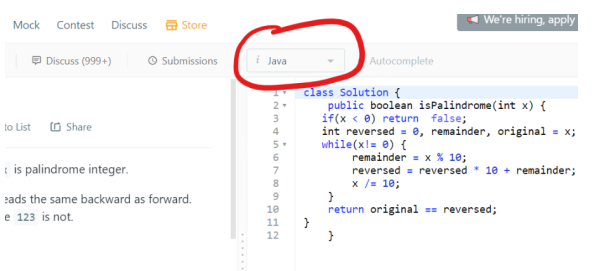
Here you can choose your preferred language type.
Then start writing your block of code at this region:
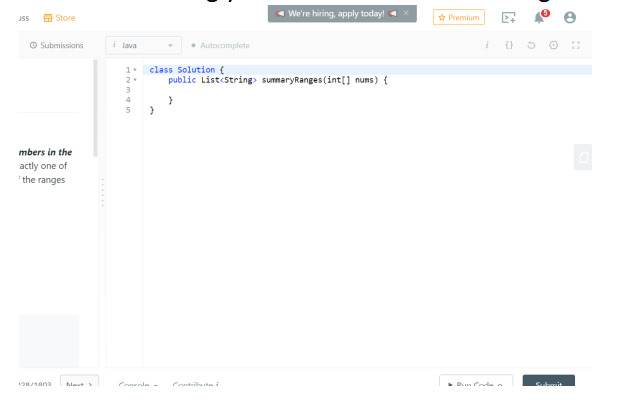
Once you are done writing click on the run code button at the bottom
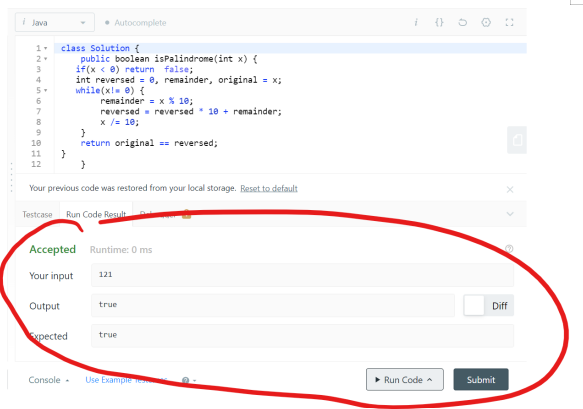
You will find a similar looking area
Then click on submit once you see that your answer is accepted , if your answer is not accepted then check your code and run it again.
Clicking on the submit button you will find:
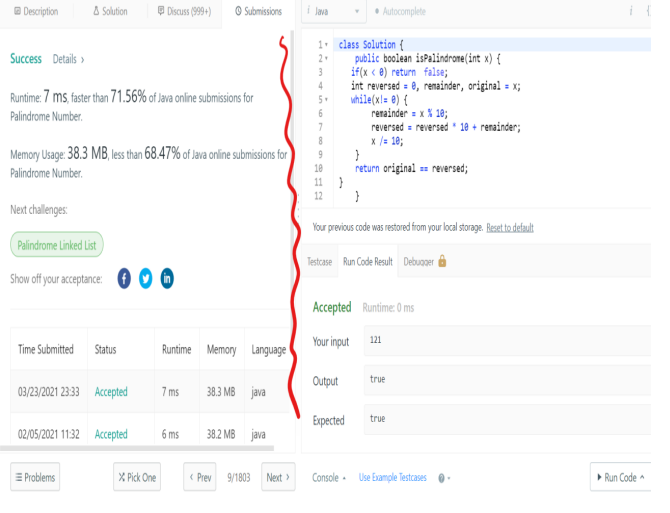
The best part about leetcode is you get to know the disk space used as well as the time complexity so you can keep improving your piece of code until you get the best result , now you’ll also find suggestions after some questions to take up a similar challenge like here its showing the next challenge that you can take is palindrome linked list.
Now coming to this region:
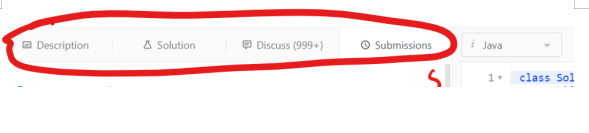
The description gives you the problem statement description.
The solution which is not available for all questions but in this case , you can see the solution
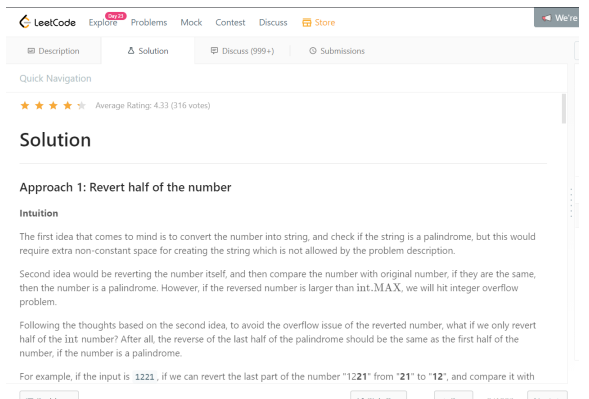
Here the solution is not just explained but also the block of code and the time complexity is mentioned.
There are a number of questions where you can find nearly four different solutions to the same question . It’s advisable not to look at the solution first and to try yourself later you can refer to the solution to know the best possible method or even head over to the discussion section that looks like this:
And choose the language from the tags you want to find solution in and go through it .
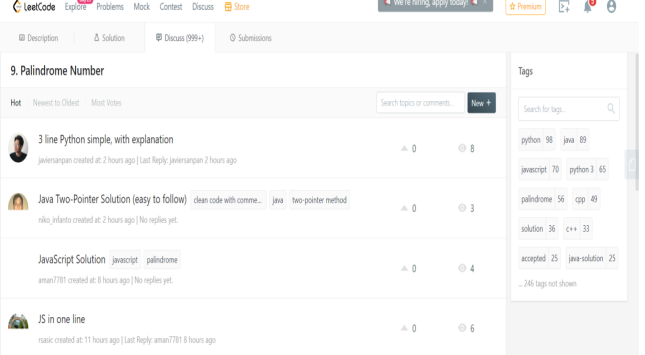
If you are learning a new language, leetcode can be the best way to do so, because you have solved a problem here say in java and after leaning python try solving that same problem in python and if you fail then you can head on to the discussion section and see what can be done.
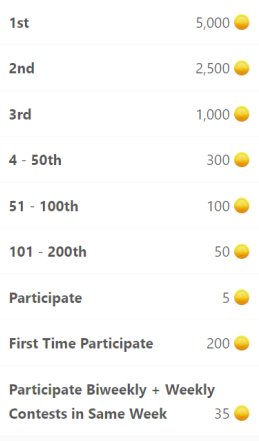
Lastly coming to the points section:
If you login to leetcode daily you will receive I coin
As mentioned in the beginning of the post when you fill up or update your profile you receive points
You also receive points for submissions in weekly contest
Like:
Now ,if you want to post something then head on to the discuss option on the top left corner of the page and
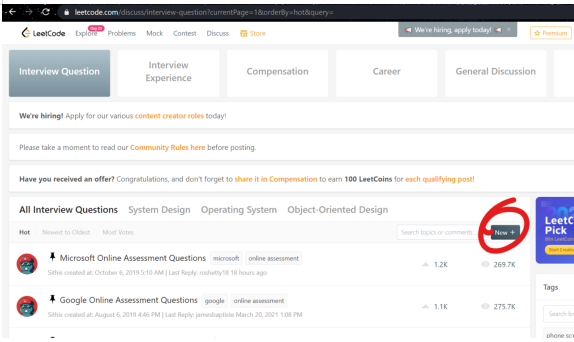
Click on new and start creating your post
As for a beginner , this post would be enough to explain the basics of leetcode features , I’ll make a separate post for the next step and other features, that would mention about sessions and badges and the explore section, etc , now let me know ,if I need to review or make some changes in this post and that it was helpful or not in the comments.