


In case images die: https://www.mediafire.com/convkey/b0c2/0sjogej1pvrxhppzg.jpg
This guide is not long. The photos just make it seem lengthy but it actually takes < 1m.
Step 1
Occasionally when click on a question link on Leetcode, you may be met with the "That topic does not exist." page. Here is how you can see the questions, most of the time.

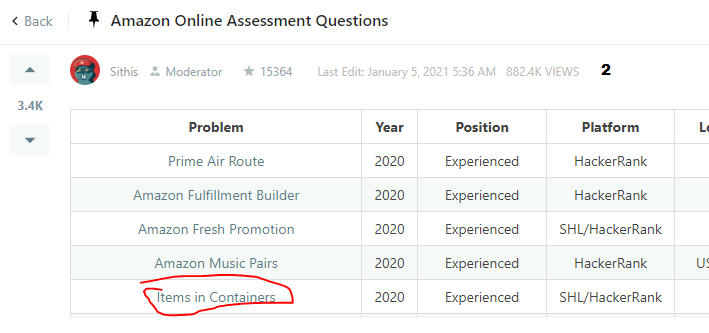
The idea is to view a cached version, which may or may not exist. For example, consider the Amazon set of questions: https://leetcode.com/discuss/interview-question/344650/Amazon-Online-Assessment-Questions
Let's say I want to view the Items in Containers question. The link is https://leetcode.com/discuss/interview-question/865660/
Step 2
You will see the all too fimiliar "That topic does not exist." page. What you can do (running Google Chrome currently), is type in cache: in the url, before the actual url:
Now your url looks like: cache:https://leetcode.com/discuss/interview-question/865660/

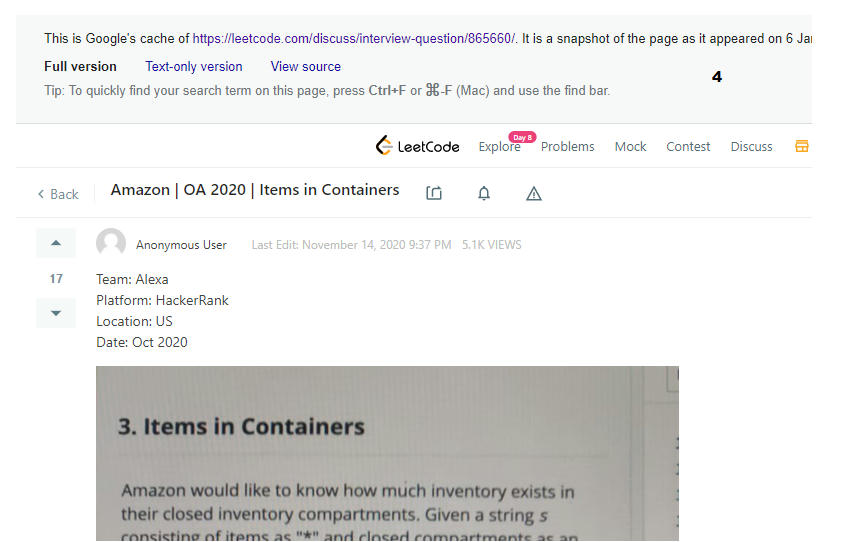
You should then be able to see a cached version of the page, as I can see here: http://webcache.googleusercontent.com/search?q=cache%3Ahttps%3A%2F%2Fleetcode.com%2Fdiscuss%2Finterview-question%2F865660%2F&oq=cache%3Ahttps%3A%2F%2Fleetcode.com%2Fdiscuss%2Finterview-question%2F865660%2F&aqs=chrome.0.69i59j69i58j69i60.1455j0j4&sourceid=chrome&ie=UTF-8
Step 3
The problem is that cached content will occasionally cut off on your screen, so you will not be able to see the entire thing unless you completly zoom out. A better way is to click where it says View Source to the right of where it says Full version.
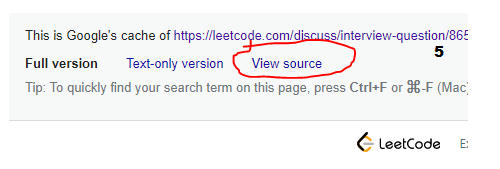
You must wait here, because it takes time to load all the HTML (just look if your tab is done loading or not). When it finishes, you must copy the the entire HTML code (Ctrl A + Ctrl C).

Write the copied text to an HTML file using notepad Double click that HTML file, and you should see the full question with scrollbar.

Step 4
When you scroll down, the solutions will most likely be cut off. Now you have two options.
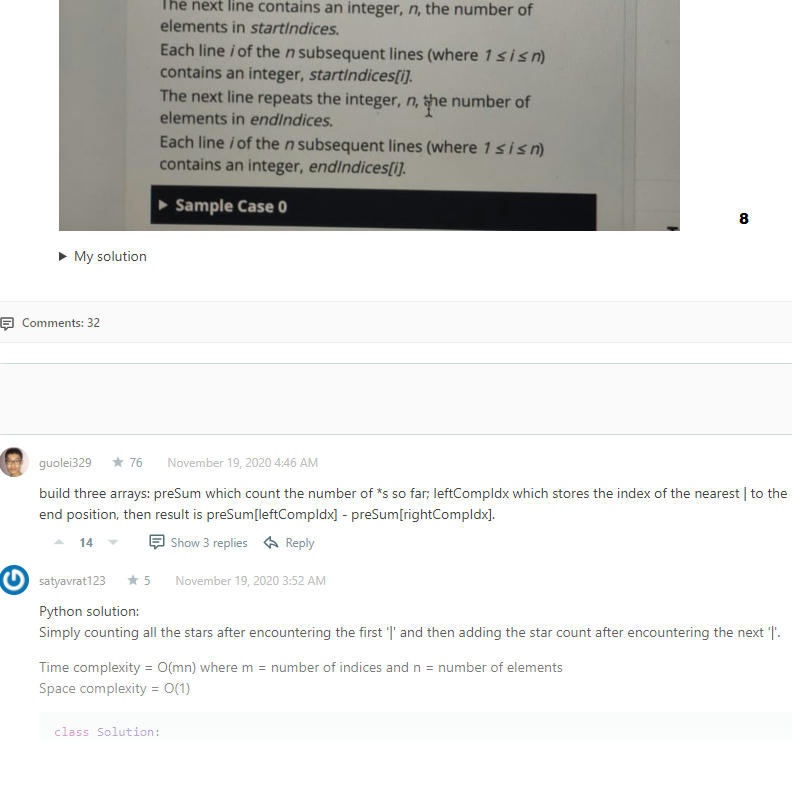
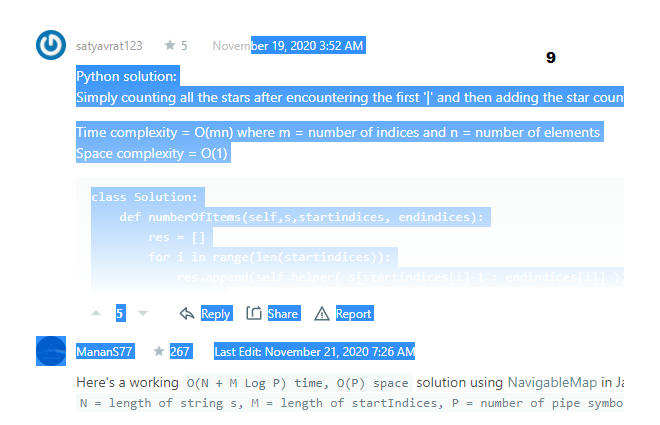
Option 1 is to simply start highlighting from the posters date all the way below. This should capture the entire solution in text. Right click, Copy. You can just paste it in notepad and see.
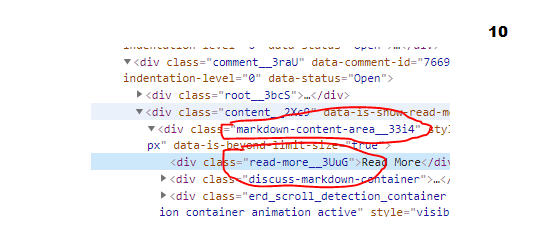
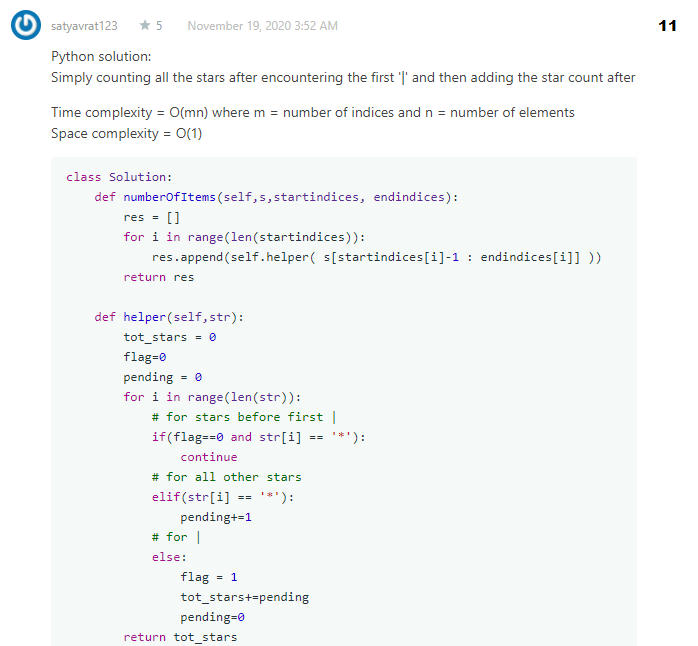
Option 2 is to right click where you see code, and then Inspect Element. Look for a div that has the class markdown-content-area_[something], and then uncheck the max-height: 230px; property (or whatever the max height is). To eliminate lower opacity, go to the div that has the class read-more__[something], and uncheck the opacity: 1;. Now you should be able to see the question, in its full length, without any blur.
Step 5
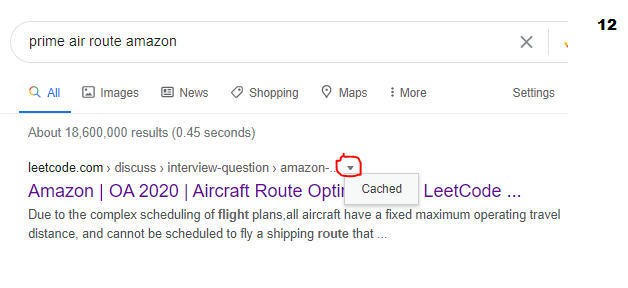
Now I said that this will only work some of the time. If we look at the question Prime Air Route from the same list, you will see that the cached version results in a 404. The only thing to do now is search on Google, something along the lines of Prime Air Route Amazon and see if it returns any results. The hope is that there is another link to the question. The first result I see is a link titled:
Amazon | OA 2020 | Aircraft Route Optimization - LeetCode
I don't know if this is the same question, but I can go ahead and see if there is a cached version of this. Actually, if you are searching from Google, you don't need to type in cache: in the url after. You can simply click this little arrow and select cached. Then as above, if there is a cached copy, it will show you. Then you will have to do the above steps to view the full question.
I haven't figured out how to see multiple pages, or how to see the comments, but its most likely just messing with the HTML. If you do know, please let us all know below.
I hope this helps.